Color Code Your VS Code & Cursor Windows
Free Tool Available
Don’t want to pick colors manually? I built a tool that generates a complete color scheme from a single accent color.
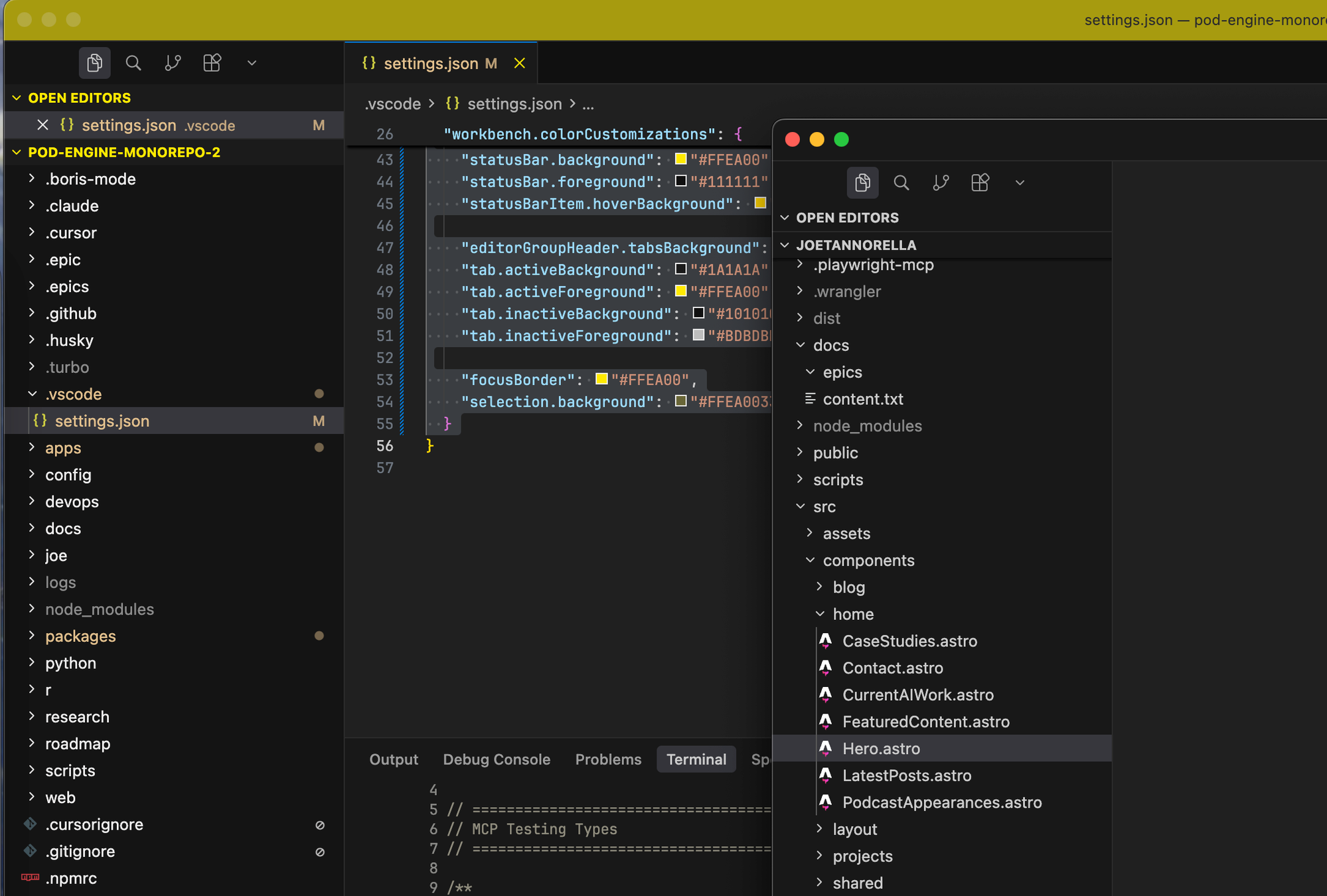
If you’re like me, you often have multiple VS Code or Cursor windows open at once — one for the frontend, one for the backend, maybe one for documentation. The problem? They all look identical, and you end up playing window roulette every time you Cmd+Tab.
The fix is simple: give each project its own color scheme.
Works for Both VS Code and Cursor
Since Cursor is a fork of VS Code, they share the same settings format. Everything in this guide works identically for both editors.
How to Add Custom Colors
- Open your project in VS Code or Cursor
- Press
Cmd+Shift+P(Mac) orCtrl+Shift+P(Windows/Linux) - Search for “Open Workspace Settings (JSON)”
- Add the color customizations
What You Can Customize
The workbench.colorCustomizations setting lets you change colors for:
- Title bar — The top bar showing the window title
- Activity bar — The leftmost sidebar with icons
- Status bar — The bottom bar showing branch, errors, etc.
- Sidebar — The file explorer area
- Tabs — The file tab bar
Example Configuration
Here’s a yellow theme that makes a window instantly recognizable:
{
  "workbench.colorCustomizations": {
    "titleBar.activeBackground": "#F5C518",
    "titleBar.activeForeground": "#1a1a1a",
    "activityBar.background": "#D4A912",
    "activityBar.foreground": "#1a1a1a",
    "statusBar.background": "#B8940F",
    "statusBar.foreground": "#1a1a1a",
    "sideBar.background": "#FDF6E3",
    "tab.activeBackground": "#F5C518"
  }
}
Generate Your Own Color Scheme
Rather than manually picking colors and hoping they look good together, I built a tool that generates a complete, harmonious color scheme from a single accent color.
Try the VS Code & Cursor Color Generator →
Pick your primary color, and it’ll generate all the complementary shades for title bar, activity bar, status bar, and more — ready to copy and paste into your settings.